
Made in Canada, for Canadians
Time tracking and invoicing for Canadian contractors, consultants and freelancers. GST/HST on every invoice, CRA instalments on your calendar, and what to set aside for tax, worked out for your province.
Hours Truly is in a private beta.
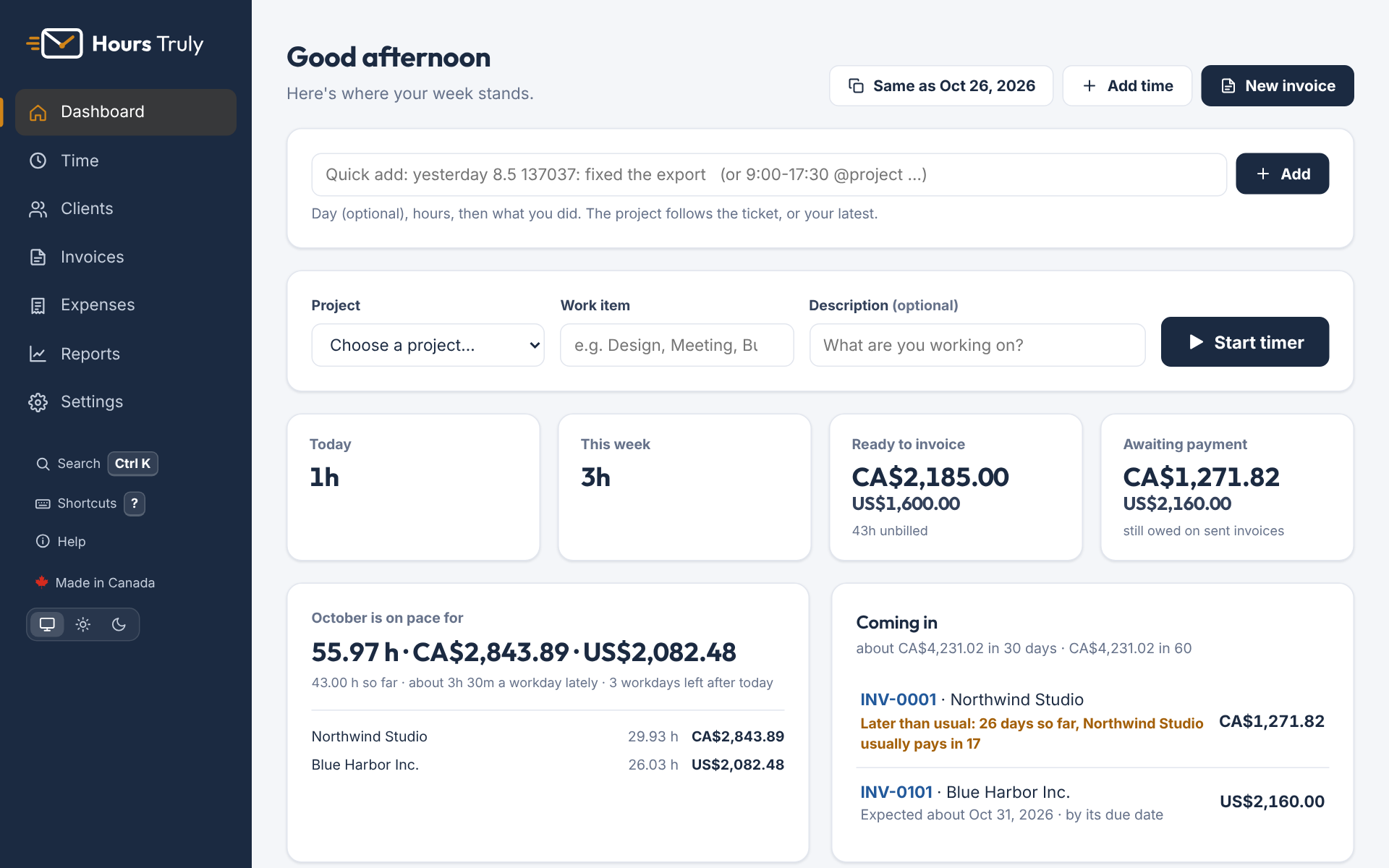
Most invoicing apps are built for the US and patched for Canada. Hours Truly starts here.
GST, HST, PST and QST on your invoices, your GST/HST number on every one, the $30,000 small-supplier threshold watched for you, and each GST/HST return laid out line by line, ready to file.
An estimate of your income tax and CPP (QPP in Quebec) for your province or territory, and a reminder before each CRA instalment is due.
Interac e-Transfer details on your invoices, with the invoice number as the message so each payment names its invoice. Bill US, European or UK clients in their currency, converted at the Bank of Canada rate on the day you're paid.
A timer, a weekly grid, a month calendar, or a quick line like “yesterday 8.5 fixed the export”. Or keep a draft going all day and add the hours when you're done. Adjust a batch of entries at once, and it works offline on your phone too.
Every invoice's link has a Pay by card button, through your own Stripe account, and the client's statement link pays everything they owe at once: invoices mark themselves paid and you're emailed. Quotes are accepted with a click and become the invoice. Bill each client weekly to monthly, in your own design; reminders go out on their own, with optional late-payment interest.
Expenses come straight from your bank or card statement, sorted into categories for you, and a photo of a receipt fills itself in. Income that isn't an invoice, like product sales or subscriptions, counts too. Your year on the T2125's lines, home office, car and equipment's capital cost allowance included, and everything packaged for your accountant, who can also have their own view-only login, free.
Start a timer, fill in the week, type a line, or describe the day as you go and add the hours at the end. Every hour lands on the right client and project.
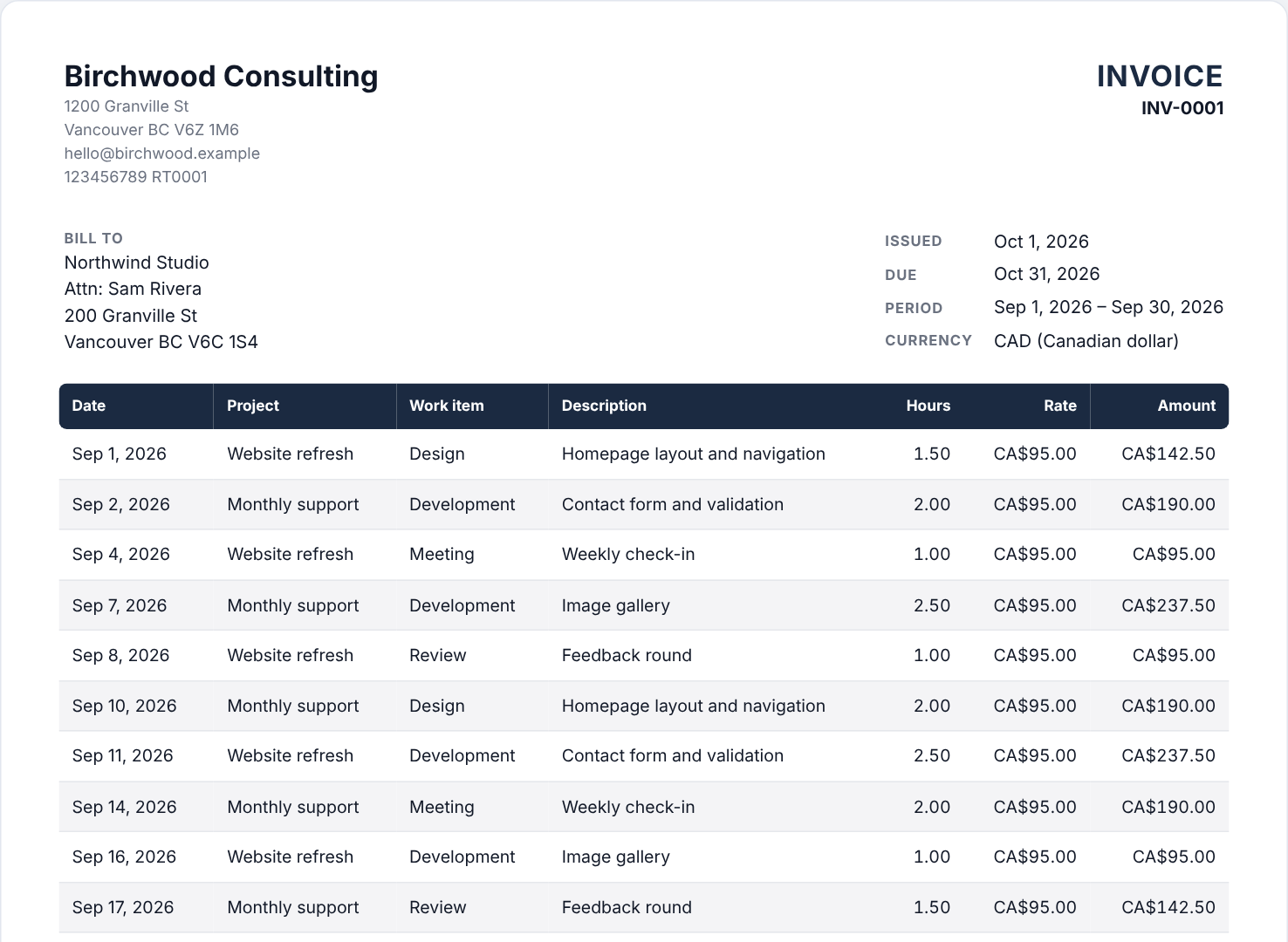
When each client's billing period ends, weekly to monthly, their invoice is a click away. Check it, email it, and reminders can follow up for you.
Clients pay by e-Transfer or by card from their link, and card payments mark the invoice paid by themselves. Upload your bank statement and deposits are matched to the invoices they pay. See what to keep for the CRA before the instalment is due.
At year end your income and expenses are laid out on the lines of the CRA's T2125, car, home office and equipment (CCA) included, and one zip holds everything. Or invite your accountant to their own free, view-only login.
Your clients can invite you to their books. It's free for you, and it saves the shoebox of receipts in April.
Ask your client to invite you from Settings → Account → Your accountant.
Your logo, colours and fonts, your GST/HST number and e-Transfer details, in PDF and Word. Clients get a private link to view, download and pay by card, and to accept your quotes with a click.
As the year goes on, Hours Truly estimates your income tax and CPP for your province, tells you what to keep aside, and counts down to the next instalment.

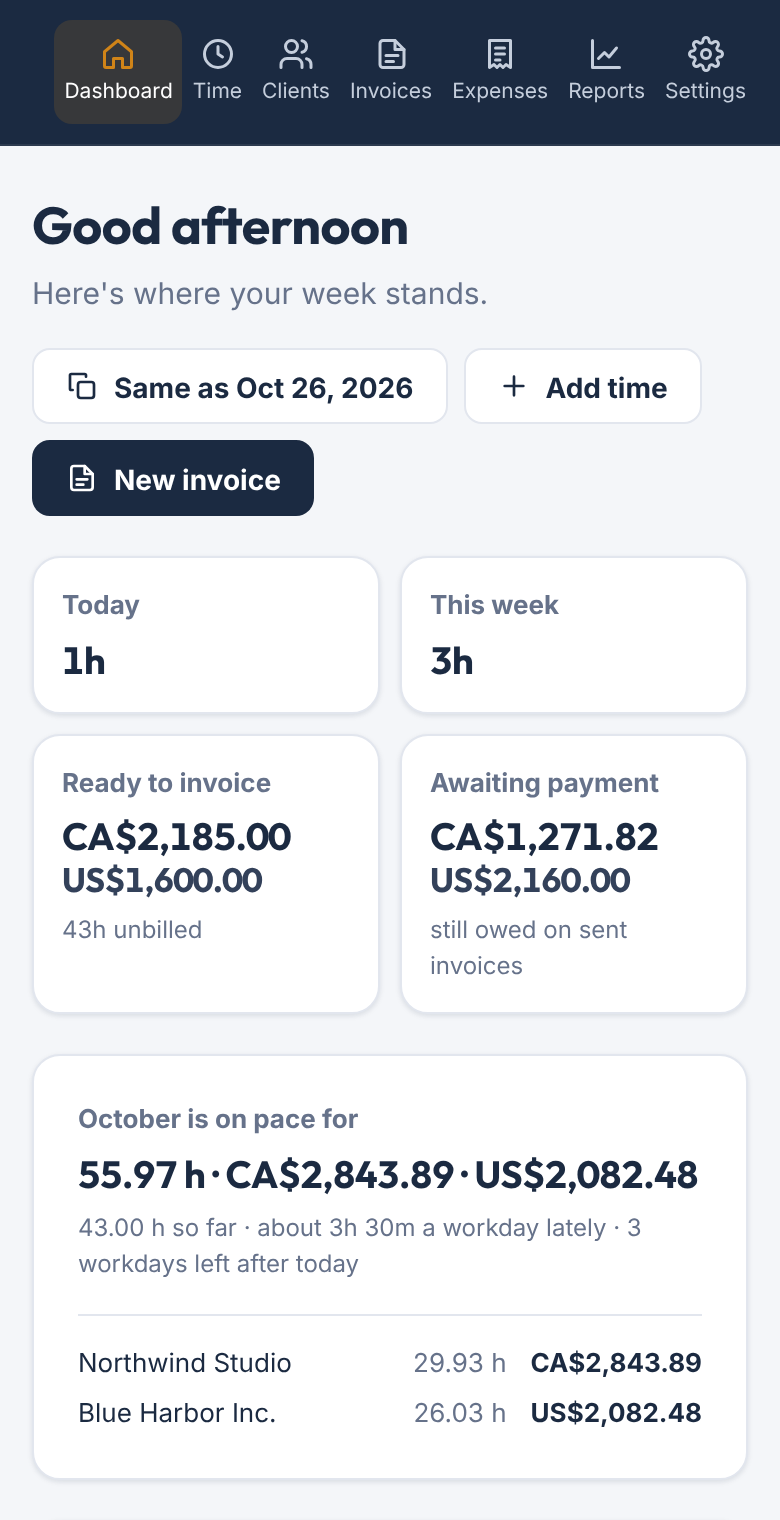
Install it like an app. Log time on site with no connection and it syncs when you're back. Snap a receipt and AI reads the vendor, date, total and GST/HST for you to check. Your whole business fits in your pocket.
One app, every feature, three ways to pay. Plus GST/HST, in Canadian dollars.
On Railway's servers. Every business has its own separate database, connections are encrypted, and copies are made every night and kept off-site. You can download everything whenever you like. The privacy policy has the details.
Yes. Prices are plus GST or HST where it applies, worked out for your province when you subscribe.
No. If you aren't registered yet, Hours Truly adds up your last four quarters and tells you as you get close to the $30,000 small-supplier threshold.
Yes. Choose weekly, every two weeks, twice a month (1st–15th and 16th–end) or monthly as your usual schedule, and give any client its own. When a period ends, its draft is ready on your dashboard, or made for you automatically if you like. Weeks can end on any day you choose.
Yes. Save a draft in the morning and add lines to it through the day: it saves itself as you type, even on your phone. At the end of the day, type the hours and it goes on your timesheet. Until then it doesn't count anywhere, so nothing half-finished ends up on an invoice.
Yes. Time exported from Harvest, Toggl or any spreadsheet (CSV) comes in with a preview first. Clients and projects are matched by name, and an import can be undone.
No. Download your transactions from online banking (OFX, CSV or a PDF statement, from BMO, RBC, TD, Scotiabank, CIBC, Tangerine and the rest) and upload the file. Deposits are matched to the invoices they pay (or recorded as other income, like a Stripe payout), and spending gets a suggested category. You check every row before anything is saved, and one click undoes the whole import. For receipts, snap a photo with your phone: AI reads the vendor, date, total and GST/HST (even from a crumpled or faded one) for you to check, and the photo is attached to the matching expense from your bank.
It lays your year out on the T2125's lines, ready to copy onto your return or hand to your accountant: gross sales and the GST/HST in them, each expense category on its line (meals at 50%), your car's business share from your mileage log, your equipment's capital cost allowance class by class (computers, furniture, a car), carried from year to year, and your home office, capped and carried forward the way the CRA does it. It doesn't file anything for you.
Yes. Reports → GST/HST lays out each period's return line by line (sales, GST/HST collected, input tax credits and the net tax), monthly, quarterly or yearly, regular or Quick method, with every invoice and expense behind it and the due date in your calendar. You copy the lines into CRA My Business Account.
Yes. Reports → For accounting software downloads your invoices in QuickBooks Online's and Xero's import layouts, and a general ledger of everything for Wave, Sage or any spreadsheet, with your own account names and tax codes. Or invite them to their own free, view-only login.
No. Invite them from Settings and they get their own login, free, to see your books view-only. If they look after several businesses that use Hours Truly, one login covers all of them.
Yes. Connect your own Stripe account in Settings (it takes a few minutes) and the link on each invoice offers “Pay by card”. Your client pays on Stripe's secure page, the money goes straight to your Stripe account, and the invoice marks itself paid. Stripe's usual card fee applies (about 2.9% + 30¢ a payment in Canada); Hours Truly takes nothing. Try it first in Stripe's test mode with a test card. Clients can also accept or decline a quote from its link, and you're emailed either way.
Sales, subscriptions, commissions, royalties or a grant go in Other income, by hand or straight from your bank file. They count toward your income, tax set-aside and year end like everything else, with any GST/HST in them counted as collected.
Yes, two ways. Invite them: they get their own login, free, to see your books (every invoice, payment, expense and receipt, the reports and the year end) without being able to change anything, and one login covers all their clients. And at year end there's one zip for them with every invoice (PDF and Word), a summary spreadsheet, a statement per client, and the year laid out on the lines of the CRA's T2125.
Nothing is deleted. Your account becomes read-only: you can still sign in, see everything and download it all. Subscribe again and you carry on where you left off.
Yes, in Settings → Billing. You keep full use to the end of the time you've paid for; there are no refunds for part of a term.
Set up in a few minutes. Try it free for 14 days, no card needed.
Sign in